99Exch Sign Up — 4 Quick Steps From Desk Chat to First Deposit
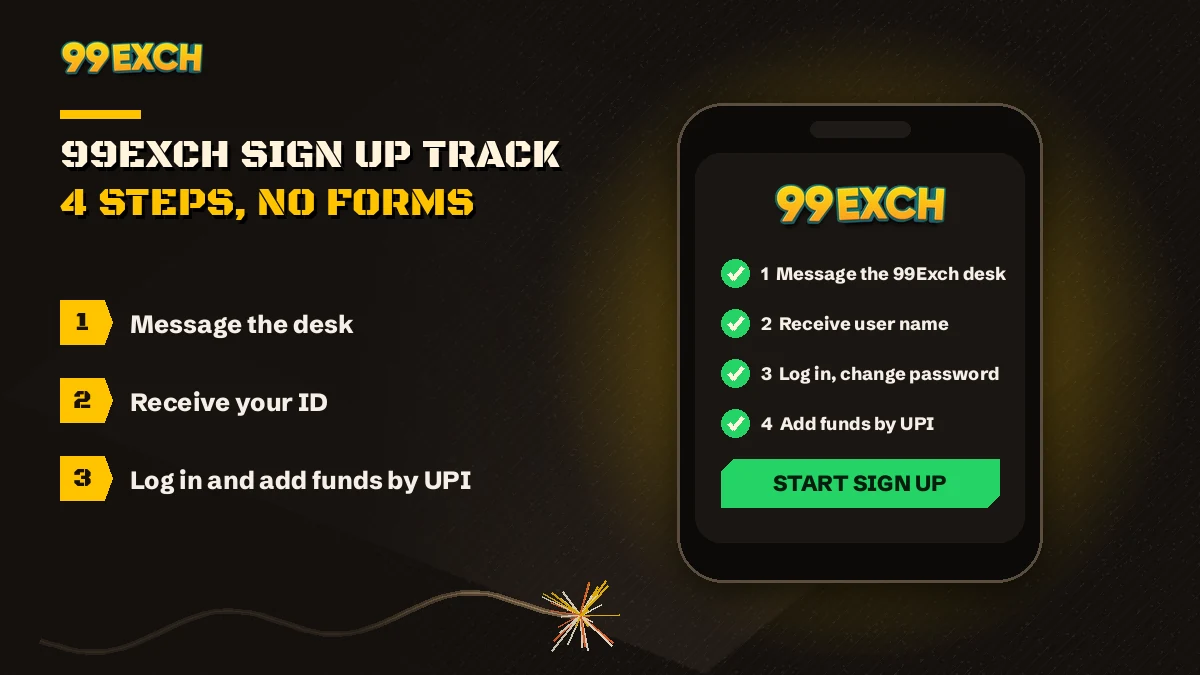
There is no 99Exch sign up form to fill. You message the 24x7 WhatsApp desk, send your name and mobile number, and the desk replies with a user name and password. Log in with those, change the password, then add money in the wallet section. Four steps, one chat, one balance.
- No online form
- 4 steps on WhatsApp
- Desk replies 24x7
- One INR balance

NEW ID OR LOGIN
- Message the 99Exch desk
- Send name and mobile
- Receive user name and password
- Log in, change password, deposit
No form here. The desk issues your ID in the chat.

Start here
How Does 99Exch Sign Up Work? The Free, Official Route Through the Desk
99Exch sign up happens inside a WhatsApp chat, not on a web page. The official 99Exch login screen has two fields and two buttons (User Name and Password, Login and Login with Demo ID), so there is nothing on it to register with. The desk or an agent creates your ID and sends it to you.
That surprises people.
Most betting sites put a Register link somwhere near the top, and newcomers spend a while hunting for one on 99Exch before it clicks that the login screen is the entire front door. Look at it again. Welcome to 99exch across the top, the logo, the two fields, both buttons, a small reCAPTCHA note. Below those sit a link for the Android file, one for sharing that file with a friend, and one that reads Contact On Whatsapp. That last link is your sign-up button. It just doesn't call itself that.
Why a chat instead of a form? Probably because a person on the 99Exch desk opens every account by hand, so the user name and password reach you directly, and if something is off, say a misspelt name or a number you'd rather not use, it gets sorted in the same thread instead of a red error line on a form you can't argue with.
Some people get their ID through an agent rather than the desk. Same result: a user name and password handed over in a chat, then the same 99Exch login screen and the same wallet. If an agent set you up, the password change in step four matters a little more, since one extra person has seen the original.
A typical first evening goes like this: someone installs the .apk on a friend's say-so, taps every corner of the screen looking for Register, gives up, and presses Contact On Whatsapp. The 99Exch user name and password come back in that chat. Sorted, though they could have started there.
On a phone right now? Tap either button below and a short window shows both login fields plus the four ID steps; every link in it goes to the real 99Exch screen.
The fuse, node to node
The 99Exch Register Track — 4 Verified Steps in One Chat
Four stops. The fuse below burns from one to the next in the same order the 99Exch desk works through a request, and none of them can really be skipped.
- Say Hello
Press Contact On Whatsapp on the 99Exch screen, or take the number from the 99Exch WhatsApp contact page, and write that you want a new ID.
- Name and Mobile
Name on one line, mobile on the next. That short reply is normally enough for the 99Exch desk to start typing back.
- Credentials Land
A 99Exch user name and password arrive as a chat message. Copy both exactly as sent.
- Log In and Load
Sign in on the 99Exch screen, change the password, then add money through the wallet section.
Steps one to three happen on WhatsApp. Only the fourth touches the 99Exch site at all, which is exactly why people who start on the website get stuck: the first move is a message, not a click. What the finished ID contains (which sports, which games, the single balance) is covered on the 99Exch ID page, so it isn't repeated here.
steps from a first WhatsApp message to a funded 99Exch account. Three in the chat, one on the login screen.
99Exch Sign Up Searches — Fast Answers in One Place
99exch sign up and 99exch register point to the same thing: a chat with the 99 Exchange desk that ends with a 99exch id sitting in your messages. Every other 99exch search people type around the sign-up comes back to that one chat, so here is where each of them lands.
99Exch ID and New ID Number — Official Desk Issue
99Exch Login and Password — Secure First Entry
99Exch APK Download — Latest Android App File
99Exch Red, Green, Win and IO — Live Working Addresses
For the chat itself, the 99exch whatsapp number, the 99exch com whatsapp number, the 99exch contact number and the 99exch customer care number all mean one desk that answers 24x7. The digits are listed on the official 99Exch WhatsApp page, not here.
Before you type
99Exch Sign Up Details — The Short, Safe List for Your First Message
Short answer: your name and your mobile number. That is what the 99Exch desk starts from, and if it needs anything else it will ask for it by name, in the chat, where you can see it.
- Your name. Spell it the way your bank spells it; the payout end of the 99Exch wallet cares about that more than the sign-up end does.
- The mobile number you keep with you.
- Anything the desk asks for by name, and nothing it didn't.
- A plain "new ID please" if you're unsure how to open the conversation. It works fine.
Keep back: bank OTPs, card PINs, and the password you set after step four. None of the four sign-up steps asks for a bank OTP, and once you've changed the issued password there is no reason to paste it into any chat, the 99Exch one included.
One practical habit. Start the conversation from the Contact On Whatsapp link on the 99Exch screen itself, so you always know which chat you're in. Then save that contact.
Two different jobs
99Exch Register vs 99Exch Login — What Changes, in One Quick Table
Sign-up and login get mixed up constantly, partly because so many sites merge them into one screen. On 99Exch they are two separate jobs done in two separate places, and the table puts them side by side.
| Question | 99Exch sign up (register) | 99Exch login |
|---|---|---|
| Where it happens | WhatsApp chat with the desk or an agent | The 99Exch login screen or app |
| What you type | Your name and mobile number | User Name and Password |
| What you get | A user name and password | Sports exchange, casino and wallet |
| How often | Once | Every session |
| Practice option | Not needed | Login with Demo ID button |
So registering is a one-time chat. Logging in is the part you'll repeat every session, in the app or a browser, on whichever 99Exch address happens to be working at the time.
fields on the 99Exch login screen: User Name and Password. No email box, no phone box, no Register tab.
First 99Exch Login With a Secure Password Change
The credentials have landed in the chat. Now what?
- Open the screenGo to the 99Exch login page, or open the app if you've installed it.
- Type the user nameExactly as the desk sent it. Pasting is fine; just check for a stray space at the end.
- Type the passwordThe issued one. The reCAPTCHA check runs on the same screen.
- Press LoginNot Login with Demo ID, which opens practice mode instead of your account.
- Swap the passwordThe issued one has been sitting in a chat thread, so replace it before your first bet. The menu path is on the 99Exch login password page.
Most people skip step five, and then a password that has been sitting in a chat for months starts to feel like a loose end. Change it on day one. It takes less time then reading this paragraph.
99Exch New ID Not Working? Fast Fixes on First Login
Usually it's something small. Run down this list before you message anyone:
- Did the paste pick up an extra space before or after the user name? Retype it by hand.
- Seeing a balance you never paid in? That's the demo. Log out, then use plain Login with your own 99Exch details.
- Timeout instead of the login fields? Treat it as an address problem, not an ID problem, and ask the desk which 99Exch address is answering right now.
- Still nothing? Send the desk your user name and a line on what the screen says. They reply 24x7.
That last one sounds obvious. It's also the step people wait far too long to take.
Money in
First Deposit on 99Exch — Quick UPI or Bank Top-Up From the Wallet
Your first deposit goes through the wallet section of your 99Exch account, in rupees, by UPI or bank transfer. There's no separate casino wallet and cricket wallet. The money sits in one balance that the sports exchange and the games both draw from, which keeps the the arithmetic simple.
- DepositUPI or bank transfer in the 99Exch wallet section
- PlayOne INR balance for cricket, football, Teen Patti, Aviator
- WithdrawBack to your own verified bank account or UPI
Pay from an account in your own name if you can. 99Exch withdrawals go back to your own verified account or UPI, so keeping money-in and money-out on the same account keeps the whole thing tidy, and nobody has to untangle two sets of details later.
Paid, but the 99Exch balance hasn't moved? Resist the urge to send the same amount again. Screenshot the UPI confirmation, drop it in the desk chat with your user name, and let them match it.
99Exch Sign Up Bonus — Latest Offers Only as the Desk Confirms
It's a fair thing to ask in your first chat. The straight answer: whatever offer exists for a new 99Exch account is what the desk confirms to you at that moment, along with its conditions. This page names no amount and no percentage, and any page that does before the desk has said it in writing deserves a raised eyebrow.
Money out
99Exch Withdrawal After Sign Up — Secure Payout to Your Own Account
Money leaves 99Exch the same way it arrived, through the wallet section. What changes is the destination, and that part is fixed: a bank account or UPI ID that is verified and in your own name, never somebody else's. Real balance only. Whatever piles up on the Demo ID stays behind.
99Exch Wallet Request — Official Route
Log in, open the wallet section, choose withdrawal and enter the amount you want out of your balance.
99Exch Payout Destination — Verified Account Only
Only an account or UPI handle that is yours and verified receives the money. A cousin's account is not an option, however handy it seems.
99Exch Desk Help — 24x7 Payout Checks
A request sitting longer than you expected? The WhatsApp desk answers round the clock. Send your user name and roughly when you made the request.
No clock is put on payouts here, because a promise in minutes wouldn't be honest. What can be said is this: the process is the same every time, it always starts in the wallet section, and the destination is always an account that belongs to you.
A tall Demo ID balance is a scoreboard, not savings. It stays inside 99Exch for good, so any withdrawal plan needs the desk-issued ID from step three.
And one thing people tend to learn late. Withdrawals follow the same one-balance rule as deposits, so winnings from a kabaddi back bet and winnings from a Teen Patti table land in the same 99Exch pot. There's a single balance to withdraw from, not two, and its all visible in one wallet.
Try it before the chat
Try the Free 99Exch Demo ID Before You Sign Up
Not sure yet? The 99Exch login screen carries a second button, Login with Demo ID, and it's probably the smarter first move for anyone who has never used a betting exchange. You get a practice ID with a demo balance. No real money goes in, and nothing comes out.
Use it to see how back and lay odds sit next to each other on a cricket match, where the fancy and session markets live, what in-play betting looks like while overs are being bowled, and how the casino lobby is laid out. Then decide. The welcome to 99Exch walkthrough shows exactly where that demo button sits.
A practice ID never graduates. However long you play on it, the real 99Exch account still comes out of the four-step chat above.

What the real account opens is the same menu the demo shows. Six sections worth a first look:
 99Exch CricketIPL, internationals, T20 and Tests, with session runs
 99Exch FootballBack or lay a side, before kick-off or in play
 99Exch KabaddiMatch markets on the same balance as cricket
 99Exch Teen PattiThree-card tables in the casino lobby
 99Exch AviatorCrash rounds, cash out before the plane goes
 99Exch BaccaratPlayer or banker, straight from your balance
One balance runs all six. Tennis sits next to the cricket and football books, and Andar Bahar, Dragon Tiger and roulette are a tap away from the Teen Patti tables.
After the ID
99Exch APK After Sign Up — Latest Android File and an iPhone Shortcut
Once your ID works in the browser, you might want 99Exch on the home screen. On Android that means the .apk: tap Download .apk on the login screen, and the file comes straight from 99Exch rather than the Play Store.
- Allow "install unknown apps" for your browser once, when Android asks.
- Install, open, and sign in with the same user name and password. No second sign-up.
- Updates arrive as a fresh .apk from the same screen.
- iPhone owners skip the file entirely: open 99Exch in Safari, tap Share, then Add to Home Screen, and the icon sits there like any other.
Signing up and installing are separate jobs, which trips people up more than you'd think. The ID comes from the chat; the app is only another door into the same account (there's even a Share This Apk to Friend link under the fields, for when a mate asks where you got it). Install details and the usual snags are on the 99Exch APK download page.
99Exch Sign Up Questions — Quick Official Answers
How do I sign up on 99Exch?
Message the 99Exch WhatsApp desk, share your name and mobile number, and wait for a user name and password to arrive in that same chat. Then open the login screen, sign in, change the password and add funds in the wallet section. That is the whole sign-up: four steps, one chat.
Does 99Exch have an online register form?
No. The 99Exch screen shows only the User Name and Password fields with Login and Login with Demo ID buttons, so there is no self-registration. Accounts are opened by the 99Exch WhatsApp desk or by an agent after a short chat, and your details come back to you as a message.
What details does the 99Exch sign up ask for?
Just two things to start: the name you go by and a mobile number you can be reached on. Should the 99Exch desk need more, it asks in the chat itself. There is no web form to fill, and no password is requested from you at any stage of getting a new ID.
Is the 99Exch sign up free?
Getting the ID has no payment step in it. The four stages are a chat, your details, the user name and password, then the first login. Money only moves when you choose to deposit in the 99Exch wallet section, and the Demo ID lets you look around with play balance before that.
Is there a 99Exch sign up bonus?
Any offer on a new 99Exch account is whatever the desk confirms at the moment you sign up, so ask in the chat before your first deposit. This page promises no bonus amount or percentage, and it makes sense to read the conditions the desk gives you before accepting anything.
How do I make my first deposit on 99Exch?
Log in, open the wallet section and choose UPI or bank transfer. The rupees land in your single 99Exch balance, which covers the sports exchange and the casino games alike. If a payment does not show up, message the desk with your user name and the payment details rather than paying a second time.
How does a 99Exch withdrawal work?
You request it from the wallet section of your 99Exch account, and the money is sent back to your own verified bank account or UPI ID. Only real balance can be withdrawn; Demo ID play money cannot. If a request seems stuck, the 24x7 WhatsApp desk can check it using your user name.
Can I sign up on 99Exch from any Indian state?
That depends on your state rather than on 99Exch. Laws on online betting vary across India, and only you can check the rules where you live before opening an ID or depositing. IDs are for adults of 18 and over, and the legal call stays with the account holder.
Also searched with 99Exch sign up
- 99exch id kaise banaye
- 99exch sign up kaise kare
- 99exch register whatsapp
- 99exch new id kaise le
- 99exch account kholna
- 99exch first deposit upi
- 99exch withdrawal kaise kare
- 99exch demo id
- 99exch apk download
- 99exch password change
- 99exch sign up bonus
- 99exch id free me