99Exch Login Password — Change It Yourself or Get a Fast Desk Reset
Two boxes on the 99Exch screen, and the second is usually the problem. Your login password is the one pasted into your WhatsApp chat next to the user name, until you swap it. Remember it? Route A: sign in, change it in settings. Forgotten? Route B: a 24x7 desk reset, then change that too.
- 2 fields: User Name + Password
- 2 routes to a new password
- Desk replies 24x7
- Same password on every address

UNLOCK YOUR ID
User Name PasswordLost the password? Route B below gets you a fresh one from 99Exch.
Start here
Where Your 99Exch Com Login Password Comes From — the Official Source
Short answer: out of a chat. 99Exch runs without a sign-up form, so the ID you log in with (user name and password as a pair) is put together by the WhatsApp desk or by an agent and pasted to you in the conversation. Whatever goes in the second box on that screen began life as a message somebody else typed.
fields on the real 99Exch sign-in screen: User Name and Password. Apart from the reCAPTCHA check, there is nothing else to fill.
So the password sitting in your chat right now was typed by somebody else. Not a scandal. Issued IDs work like this everywhere, which is exactly why the 99Exch desk tells new users to change it the first time they get in. Until you do, think of it as a temporary key that happens to open a real wallet.
One more thing on that screen skips the password entirely. Login with Demo ID drops you into a practice account with a demo balance, no real money, nothing you can withdraw. Handy if you are waiting on a reset and just want to look around the lobby. It won't touch your own account, though, and it can't help you recover anything.
If you haven't got an ID at all yet, the password question comes later; how the desk issues one is laid out on the 99Exch ID setup page. This page picks up from the moment you already hold a user name and want the password side sorted.
Two routes, one question
99Exch Password Reset Fork: Pick the Quick Route That Fits
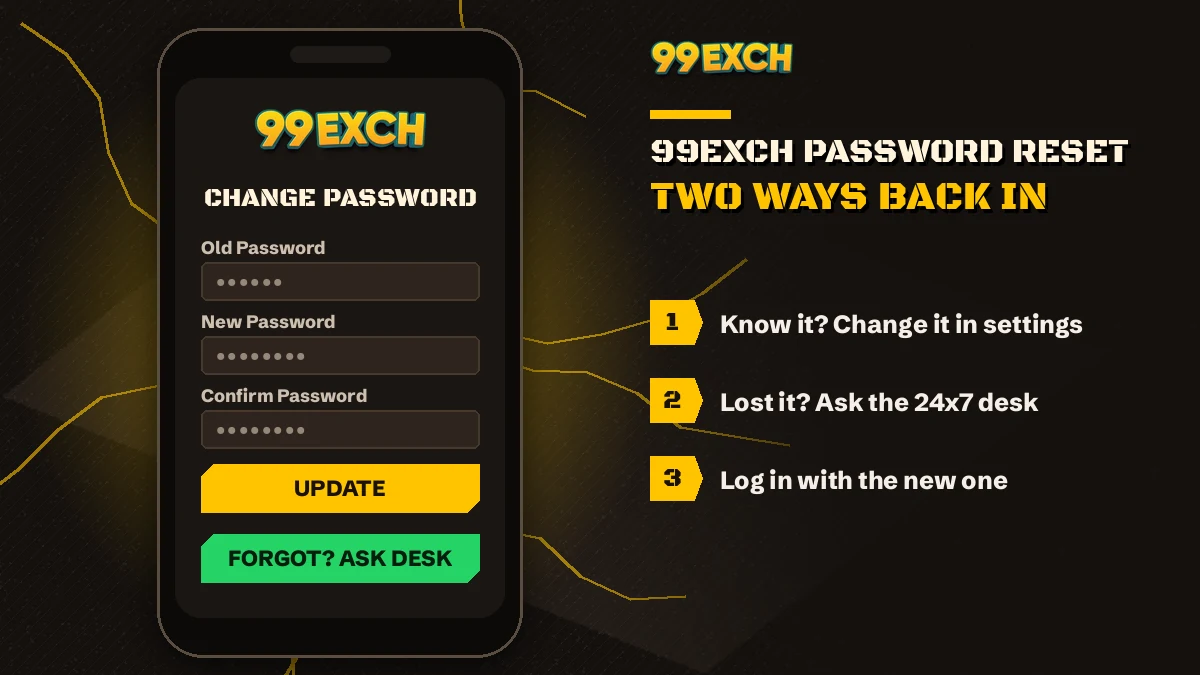
Every 99Exch password problem splits at a single question. Do you still know the current password? Yes sends you down route A, a change you make yourself inside the account. No sends you down route B, through the WhatsApp desk. There is no third path.
Do you know your current 99Exch password?
Sign in with your user name and the password you have.
Open account settings from the menu.
Pick the change-password option, enter old then new.
Saved. The new password is the only one that works now.
Message the 99Exch WhatsApp desk with your user name.
Old one wiped; a fresh password arrives in that chat.
Sign in with that new password.
Now run route A and change it again yourself.
Look at where route B ends. It finishes at the start of route A, and that is deliberate: a password that came through a chat is a password somebody else has seen, same as the very first one. Most people skip that last change. Then they wonder, months later, why the desk tells them to do it.
Timing is harder to pin down. Route A is in your hands and takes about as long as typing two passwords. Route B needs one conversation with the desk, which replies 24x7, but how quickly depends on how busy the chat is at that moment. A Saturday night during the IPL is probably not the quietest hour to ask. While you wait, Login with Demo ID still opens the practice lobby, though nothing done there counts on your real 99Exch balance.
Route A in full
Change Your 99Exch Password in Settings — a Safe Five-Step Routine
To change the 99Exch password, sign in with your user name and current password, open account settings from the menu and choose the change-password option. Type the current password, then the new one, and save. From then on, the login screen accepts only the new password, on the browser and on the 99Exch APK alike.
- Sign in firstRoute A only works from inside the account, so get past the 99Exch login screen: user name, the password you hold today, the reCAPTCHA tick, then Login.
- Open account settingsThe menu holds your account options, and the change-password item sits among them. Labels can differ a little between the app and a browser.
- Enter the current passwordThe form wants proof that you own the account, so the password you signed in with goes in first.
- Type the new passwordMost forms of this kind ask for it twice, so a slip of the finger does not lock you out of your own ID.
- Save, then sign in againLog out and back in with the new password once. If it works now, it will work tomorrow.
That fifth step looks optional. It isn't, really. The moment to find out a new password was mistyped is while the old session is still fresh in your head, not on match day with the toss five minutes away and your stake already planned.
Then there's autofill. Browsers love offering the old 99Exch password back to you, pre-typed as dots, and pressing Login on those dots gets you a wrong-password message you did nothing to earn. Right after route A, open the saved entry and overwrite it. Or delete it and type by hand for a week, whch also helps the new one stick in your memory.
Remember what this one password guards. A single 99Exch account holds the sports exchange, the casino tables and the INR wallet behind both, so changing the password once covers the whole lot — there is no separate casino password or wallet PIN to chase.
Blocked addresses don't reset anything either. When a block in India knocks out one 99Exch domain and a new one appears (red, green, win, io and the rest), the account behind it is the same account, balance included. Whatever you set in route A last week is what the new address will ask for. People sometimes assume a new address means a new password. It doesn't.
And the app? Here's the bit that trips people. The 99Exch APK often stays signed in after you change the password somewhere else, so for a day or two it looks like the old one still works. It doesn't. The first time you log out, the app will want the new password. On an iPhone the site runs from the browser plus a home-screen shortcut, so there it is the browser's saved-password entry you need to refresh.
Route B in full
99Exch Forgot Password Help from the Trusted 24x7 WhatsApp Desk
Forgot the 99Exch password? The fix runs through WhatsApp, because the login screen carries no reset-by-email link, only Contact On Whatsapp. Message the desk, say the password is lost and give your user name. The desk resets it and sends a fresh password back in the same chat.
Keep the message short. User name, the words "forgot password", done. If the desk needs something more to be sure the account is yours, it will say so, and you go with exactly what it asks for rather then sending everything you can think of.
Where to send it? Scrolling up to the conversation where your ID first arrived is handy, since the desk can see the whole thread. Changed phones and lost it? Start a new chat. The desk number itself lives on the 99Exch WhatsApp number page, so it isn't repeated here.
Request a 99Exch Password Reset on WhatsAppA reset touches one thing. The password. Your user name stays as it was, the wallet balance stays in the same account, and nothing moves to a new ID, so there's no need to ask for a fresh account just because you forgot a password. People do ask for that, surprisingly often, and end up with two IDs and a balance split across both.
If an agent set the ID up rather than the desk, its probably quickest to go back to that same agent first. The desk is still there 24x7 if the agent doesn't answer.
When the new password lands, sign in with it straight away and go back to route A. Two minutes, maybe less. Leaving a chat-delivered password in place for weeks is the one habit that undoes the whole reset.
99Exch Password Habits That Keep the Account Safe
- Different from your email, UPI app or bank password. One leak shouldn't open all of them.
- Long beats clever. Three unrelated words and a number are easier to remember than a jumble of symbols.
- Not your mobile number, not your date of birth, not your 99Exch user name backwards.
- Never typed back into the desk chat after you change it.
- Changed again if you ever signed in on a friend's phone.
- Not shared with a friend who wants to play; each person can ask the desk for their own 99Exch new ID.
A genuine reset never begins with “send me your current password” — any message asking for it, even under the 99Exch name, is the wrong person.
When the screen says no
99Exch Wrong Password Error? Quick Fixes for Each Real Cause
99Exch says wrong password when what sits in the field doesn't match the account exactly — a capital letter, a space carried in from a pasted chat message, or an old password your browser filled in after a change. Check the table below before you ask for a reset; plenty of cases clear on the next try.
| What happens | Likely cause | Fix |
|---|---|---|
| Wrong password right after you changed it | Browser or phone autofill put the old password back | Clear the field, type the new one by hand, update the saved entry |
| Wrong password after pasting from WhatsApp | A space came along before or after the password | Delete it and type the password manually |
| Fails on the phone, works on a laptop | Keyboard capitalised the first letter on its own | Check the first character, switch off auto-capital for that field |
| Fails every time, even when typed slowly | User name slightly off, so the pair doesn't match | Copy the user name exactly as the desk sent it |
| Worked last week, not after a desk reset | The reset replaced the old password | Use the newest password from the chat |
| Nothing happens when you press Login | reCAPTCHA check not finished | Complete the check, then press Login again |
A pattern that shows up a lot: someone copies the password out of the desk chat on their phone, pastes it, gets wrong password three times running and messages 99Exch asking for a reset. The password was fine all along. A trailing space had tagged along with the paste, and typing it by hand worked first go.
So retype before you escalate. That one habit, in practice, saves more resets than anything else on this page.
Some sign-in trouble has nothing to do with the password at all — a screen that won't load, an address that stopped opening, the app hanging on the the splash screen. Those are covered on the 99Exch login troubleshooting page instead.
Behind the lock
One 99Exch Password Opens Live Cricket and Casino Tables
Why fuss this much over one password? Because of what sits behind it. The 99Exch sports exchange covers cricket — IPL, internationals, domestic T20 and Tests — along with football, tennis and kabaddi, with back and lay odds, fancy and session markets on cricket, and in-play betting while the match runs.

On the casino side there is Teen Patti, Andar Bahar, Dragon Tiger, roulette, baccarat and Aviator-style crash games. All of it runs off one balance in an INR wallet, topped up by UPI or bank transfer from the wallet section, with withdrawals going back to your own verified account or UPI. One password guards the lot, which is the plainest reason to make it a good one.
 99Exch Teen PattiThree-card tables on the same wallet as your bets.
 99Exch Cricket ExchangeBack, lay and session markets, in-play too.
 99Exch RouletteThe wheel sits one tap from the sportsbook.
99Exch Com Login Password: Verified Answers to Nearby Searches
Most people typing 99exch com login password are standing at the screen that says welcome to 99exch, holding a user name and unsure about the second field. The 99exch login and the 99exch com login are the same screen, and 99 exch com or 99 exchange searches land there too. Every 99exch id comes from the desk, so 99exch sign up and 99exch register both mean one WhatsApp chat rather than a form; a 99exch new id works the same way. Searches for the 99exch whatsapp number, the 99exch com whatsapp number, the 99exch contact number, the 99exch customer care number or a 99exch new id number all point to that one desk, which also handles the password reset.
99Exch App, Download and Address Searches — Quick Official Pointers
- The 99exch app is an Android file, so 99exch apk, 99exch download and 99exch app download apk all mean the .apk link on the sign-in screen; your password works in it unchanged.
- Addresses change when a domain gets blocked. 99exch red, 99exch green, 99exch win, the 99exch win login, 99exch io and 99exch com m home each open the same account with the same password.
- 99exch live and the 99exch live login are the in-play side of that same account, not a second ID.
- Plenty of people search plain 99exch just to see the lobby first; the Login with Demo ID button there needs no password at all.
99Exch Login Password Questions — Fast Verified Answers
How do I reset my 99Exch login password?
Ask for it on WhatsApp, since the 99Exch sign-in screen has no reset button. Give the desk your user name and say the password is lost. A reset password comes back in the chat (route B on this page), and you replace it in account settings straight after logging in with it.
How can I change the 99Exch password after my first login?
Use route A, the five countdown steps above: sign in, go to settings, confirm the chat password and swap in your own. The change covers the whole 99Exch account at once, so the APK, the browser and any new address will all want the new password the next time you log in.
Who gives me my first 99Exch password?
Whoever creates the ID creates its first password too: the 99Exch WhatsApp desk, or the agent who arranged your account. It lands in the chat beside the user name. Treat it as a stand-in, since the plan is to replace it the moment you are first inside the account.
Why does 99Exch keep saying wrong password?
Because the user name and password pair doesn't match character for character. Stray spaces from a paste, an auto-capitalised first letter, one wrong letter in the user name, or dots from a stale saved login cause most of it. Retype both fields slowly; if the screen still refuses, ask the 99Exch desk for a reset.
Can the 99Exch WhatsApp desk see my password?
Only the first one, because the desk wrote it. That is why 99Exch users are told to replace it after signing in. A password you pick later is not something the desk needs for any job; a reset overwrites it rather than reading it back, so never paste it into a chat.
Does my 99Exch password work on every new address?
Yes. When one address gets blocked in India, 99Exch opens a new one, and the same ID and balance carry over, so the same user name and password sign you in there too. Changing the password once changes it for the whole account, whichever address you use next time.
People also search
- 99exch com login password
- 99exch password kaise badle
- 99exch forgot password
- 99exch password reset whatsapp
- 99exch login password bhool gaya
- 99exch change password
- 99exch id password kaha milega
- 99exch wrong password
- 99exch naya password kaise le