99Exch APK — Latest Android File With One Unknown-Apps Switch
The 99Exch APK is an Android file you get from the Download .apk link on the real 99Exch sign-in screen, never from Play Store. Let your browser install unknown apps once, tap the file in Downloads, open it, then sign in with the user name and password the WhatsApp desk gave you.
- Android .apk only
- 3 install steps
- Same ID as the browser
- iPhone: home-screen shortcut
ANDROID FILE INSIDE

LOGIN
User Name Password Download .apk99exch.apk lands in DownloadsreCAPTCHA sits on the real 99Exch sign-in screen.
Source first
Where the Official 99Exch APK Download Actually Comes From
Search results throw up a dozen places claiming to host this file. Ignore them. 99Exch publishes its Android build in exactly one spot, a Download .apk text link printed under the Login and Login with Demo ID buttons, so if you can reach a working 99Exch sign-in screen, you already have the genuine download a thumb's width away.
You will recognise that screen. It says "Welcome to 99exch" under the logo, asks for User Name and Password, and carries a small reCAPTCHA line. Under the Login and Login with Demo ID buttons sit three plain links, and only the first one is the file.
small links sit below the two 99Exch buttons and each has a separate job. One hands over the Android file, one opens the desk chat, one copies the download address for a friend.
One wrinkle: that screen doesn't always sit at the same address. Indian networks block betting domains every so often, so 99Exch keeps spares running (red, green, win, live, io, com, plus the m home path), and the Download .apk link travels with whichever one is up. Whichever 99Exch address opens for you today is where the right file is, and the same ID and balance carry across to it.
The third link deserves a word. Share This Apk to Friend doesn't send anything magic; it passes on the address of that same download, so a friend opens the 99Exch screen on their own phone and taps Download .apk there. That is the clean way to share. Sending the saved file itself over a chat app works in theory, but the copy can arrive squashed or renamed, and your friend can't tell where it came from.
Here's a mix-up that happens a lot. A file turns up in a cricket group chat, named something like 99exch-new.apk, forwarded by nobody in particular. Delete it. Open the working 99Exch address, tap Download .apk there, and then you at least know the file matches the the screen you will be signing into.
The file, unpacked
99Exch APK File Crate — The Real Download at a Glance
Boiled down to one box, this is roughly what the 99Exch download looks like on an Android phone: the file, where it came from, where it lands, and the three switches Android puts in front of you before 99Exch opens.
CRATE 01 · 99EXCH ANDROID
- 01Allow from this source
- 02Install
- 03Open
Three switches. That is the whole install, give or take a confirmation tap.
The name on your phone may read a little differently, since browsers tack on a "(1)" when you grab the same 99Exch file twice. Doesn't matter. What counts is that it came off the 99Exch screen and not out of a chat forward.
Android install
Install the 99Exch APK on Android in 3 Quick Steps
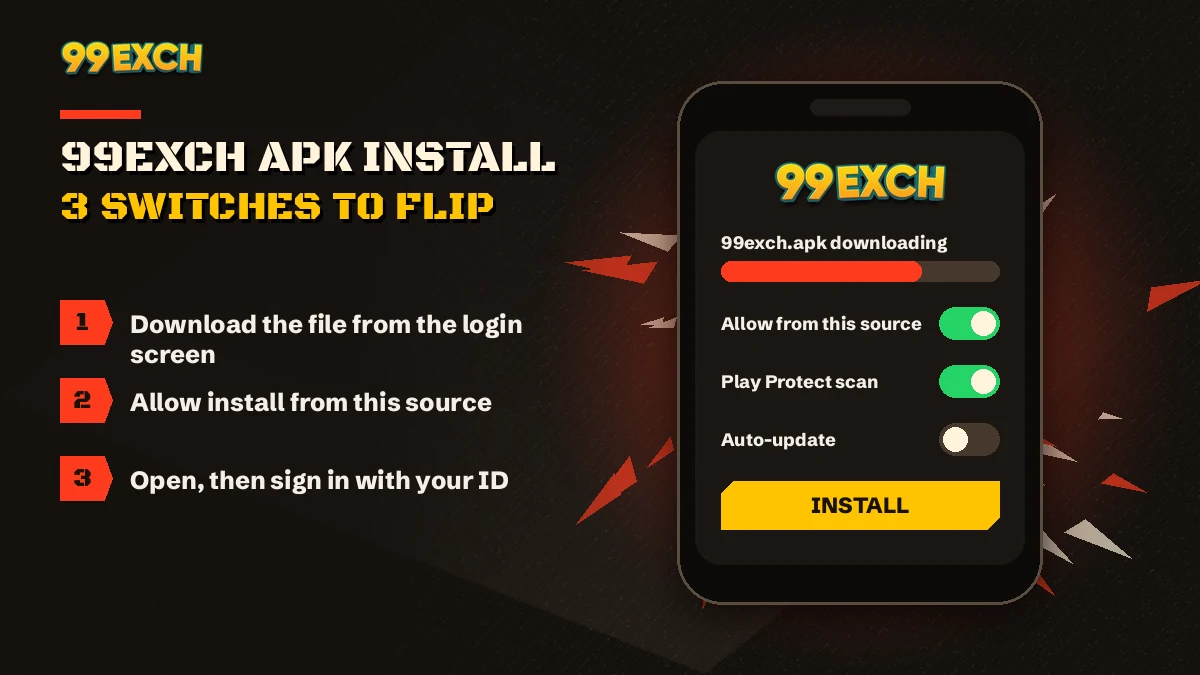
Three taps after the file lands: grant the browser permission when Android objects, press Install, press Open. The 99Exch APK needs nothing else. That unknown-apps switch is a one-time permission given to the browser, not to 99Exch itself, and you can flip it back off once the app is in.
- Download the 99Exch fileLoad whichever 99Exch address works today, find Download .apk beneath Login and Login with Demo ID, and tap it once. Chrome may add a line about harmful file types. Every non-store download gets that line, so confirm and let 99exch.apk save.
- Allow installs from this sourceOpen the file from the notification bar or the Downloads folder. On the first try Android stops and shows a Settings shortcut. Switch on Allow from this source for your browser, then press back.
- Install, then open 99ExchTap Install, wait for the progress bar, then tap Open. The 99Exch sign-in screen loads with the User Name and Password fields, the same two fields you would see in a browser.
Phone makers bury the switch in different menus. On most recent Android builds it sits under Settings, then Apps, then Special app access, then Install unknown apps, where every app that ever asked is listed. Samsung, Xiaomi and Vivo word it a bit differently. Typing "unknown" into the Settings search bar is honestly the quickest route.
Once 99Exch is installed you can go back and turn the browser's permission off again; the app stays put, and only the next 99Exch update will ask for that switch a second time. Most people skip this, which is fine too. It just keeps the door shut for random files later. Wait for the download to finsh before you tap it, though, or you'll meet the parse error further down this page.
Play Store listings are not this file. 99Exch does not put its Android app on Google Play, so any listing there wearing the 99Exch name, logo or a near spelling was built by someone else. APK mirror sites fall in the same bucket. The one genuine 99Exch APK comes off the sign-in screen and nowhere else.
Play Protect may also pop up. In practice that box usually says the app came from outside the store or hasn't been scanned before, which is a note about the source more than a verdict on 99Exch. Read it, then choose.
Updates
Getting the Latest 99Exch APK Version Without Losing Your ID
Treat every 99Exch update as a repeat of the first download. Nothing arrives by itself, since no store sits in the middle; you fetch the newer 99exch.apk from that same Download .apk link, install it on top and sign back in. The latest 99Exch APK version is simply the newest file on the screen, and your ID, password and balance never lived inside the old one anyway.
How would you know a new file is out? Usually the 99Exch desk mentions it on WhatsApp. Or the old app starts acting up, a page that won't load, a button that does nothing. Either one is your hint to fetch the fresh copy.
balance follows your 99Exch user name across the old app, the new app and the browser. Reinstalling never splits it into two.
Now and then Android refuses to lay a new 99Exch file over the existing one and shows "App not installed". That generally means the two files don't line up cleanly. The fix is dull but it works: uninstall the old 99Exch app, then install the new one. Nothing is lost on the account side, although its a good idea to have your user name and password written somewhere before you uninstall, because you'll type them again.
Changing phones? Same story, really. Install the 99Exch APK fresh on the new handset from the sign-in screen, switch on the unknown-apps permission for that phone's browser, and log in. Nothing needs copying across from the old device because the account never lived there. If the old phone is going to a family member, uninstall the 99Exch app from it before you hand it over.
One more thing on versions. This page won't quote a version number or a file size, and any site that does is guessing or selling something. The latest 99Exch version is simply whatever file the 99Exch screen hands out today.
No APK needed
99Exch on iPhone — The Fast Home-Screen Route Instead of an APK
Apple phones refuse .apk files outright, which is why the 99Exch crate above has no iOS twin. What iPhone owners get instead is a Safari shortcut: the working 99Exch address pinned to the home screen with Share and then Add to Home Screen, signed into with the very same user name and password.
| Question | Android, 99Exch APK | iPhone, Safari shortcut |
|---|---|---|
| What goes on the phone | 99exch.apk, installed by hand | An icon pointing at the 99Exch address |
| Permission to grant | Unknown-apps switch for the browser, once | Nothing at all |
| How it gets newer | Fresh file from Download .apk | Loads the live site each time |
| Address gets blocked | App may need the new file | Remove icon, pin the new address |
| What you type | The same User Name and Password on both | |
It behaves much like an app. No install, no permission switch, no updates to chase. If that address gets blocked later, the shortcut just stops loading; delete it, ask the WhatsApp desk for the new 99Exch address, and add that one instead. Same ID, same balance. Takes less time then reading this paragraph.
After install
99Exch App or Browser, Plus the Secure Sign-In After Install
Do you even need the file? For most Android users it's a convenience call: an icon on the home screen that opens straight to the sign-in, against typing an address that might be blocked by next week. Both reach one 99Exch account. The full side-by-side of what each does lives on the 99Exch app features page, so only the short answer sits here.
Once installed, the 99Exch app opens on the familiar screen with two fields and two buttons. Use Login with the details you were issued, or Login with Demo ID to wander around on a practice balance that can't be withdrawn (the smarter first move, if you've never used an exchange before). Field-by-field help is on the 99Exch login help page. And change the password the desk sent you right after your first sign-in; it's the one habit worth keeping.
Installed the app and have nothing to type into it? That's normal. The 99Exch APK carries no registration screen, so a user name and password come out of a short chat with the desk instead (the 99Exch WhatsApp desk page has the details), and only after that does the icon on your phone become useful. Tap either button below and a short window shows both fields plus the four ID steps.
Inside the app
Live 99Exch Markets and Casino Games Inside the APK
Nothing gets trimmed for Android. The 99Exch APK opens the full sports exchange and the casino on one INR wallet, so whatever you'd find in the browser is in the app as well.

Cricket leads, as you'd expect. IPL, internationals, domestic T20 and Tests all carry back and lay odds, fancy and session markets, and in-play betting once the first ball is bowled. Football, tennis and kabaddi sit in the same 99Exch exchange. Over on the casino side there's Teen Patti, Andar Bahar, Dragon Tiger, roulette, baccarat and Aviator-style crash games.
 APK cricket on 99ExchIPL book, sessions in the app
 APK football on 99ExchMatch odds, back or lay
 APK Teen Patti on 99ExchCard table off the same wallet
 APK Andar Bahar on 99ExchTwo sides, one dealt card
 APK Aviator on 99ExchCrash round, tap out in time
 APK roulette on 99ExchWheel game in the casino list
Because the APK is only a window onto the account, nothing about money is app-specific. Rupee top-ups by UPI or bank transfer and cash-outs to your own verified account or UPI ID all live in the same wallet section you would find in the browser, so installing 99Exch changes where you tap, not how funds move.
When it fails
99Exch APK Install Errors — Fast Fixes for Each Message
Most 99Exch APK install failures trace back to three things: a file that never finished downloading (the parse error), the unknown-apps switch still off for your browser (a blocked install), or a phone too full to unpack the app (storage). Match the message on your screen to the row below.
| Roughly what Android says | Likely reason | Fix on your side |
|---|---|---|
| Problem parsing the package | 99exch.apk arrived cut short or got renamed | Bin that copy, download again on steady signal |
| Blocked for security, unknown source | Your browser was never given the install switch | Settings link on that box, flip it, back, Install |
| App not installed | Older 99Exch build in the way, or a full phone | Remove the old 99Exch app, clear room, retry |
| Storage almost full | No room left to unpack the app | Delete a few old videos or cached files first |
| Page with Download .apk won't load | That 99Exch address is blocked | Get today's address from the desk chat |
Of those five rows, the parsing one confuses people most, mostly because of the word. Plainly put, Android opened 99exch.apk and found it short. A metro tunnel, a switch from Wi-Fi to data, a browser that paused the download in the background: any of those leaves a half file behind. Let the notification say complete before touching it. Rarely, on a very old handset, the same message means that Android version can't read the file at all, and then the 99Exch site in a browser is your route.
99Exch APK Stuck at 0% — Quick Retry
Cancel it, switch between Wi-Fi and mobile data, and tap Download .apk again. If the address itself won't respond, it's blocked, not your phone.
99Exch File Opens in the Wrong App — Easy Fix
Some file managers try to read an .apk as an archive. Open it from the browser's own downloads list instead, which hands it to the Android installer.
99Exch Play Protect Pop-up — Safe Reading
It flags apps from outside the store. Choose install anyway only if the file came from the 99Exch screen; if it came from a forward, delete it.
Still stuck? Send the 99Exch desk a screenshot of the error on WhatsApp. They see these same few messages over and over, and a picture beats describing it.
99Exch APK Download Questions — Straight, Verified Answers
Where can I download the 99Exch APK safely?
Download the 99Exch APK only from the Download .apk link on the real 99Exch sign-in screen, the one headed Welcome to 99exch. If that address is blocked, the 99Exch WhatsApp desk shares the current one. Skip forwarded files, Play Store copies and APK mirror sites, since none of them come from 99Exch.
How do I install the 99Exch APK on an Android phone?
Tap Download .apk on the 99Exch screen and let the file save to Downloads. Open it, allow your browser to install unknown apps when Android asks, then tap Install and Open. The app loads the 99Exch sign-in screen, where you enter the user name and password sent by the desk.
Is the 99Exch APK available on Google Play Store?
No. The Android file is handed out only through the Download .apk link on the 99Exch sign-in screen. So a Play Store entry carrying the 99Exch name, logo or a lookalike spelling belongs to someone else, and whatever it installs on your phone is not the real 99Exch APK.
How do I update to the latest 99Exch APK version?
Grab the newer file from the Download .apk link on the 99Exch screen and install it straight over the app you have, since no store updater exists. Should Android reply App not installed, delete the old 99Exch app and try again. Sign back in afterwards; your ID and balance are untouched.
Why is my 99Exch APK install being blocked?
Because Android treats your browser as an unknown source until you say otherwise. The warning box carries a Settings link; follow it, turn the switch on for that browser, return and press Install. A parsing message is a different problem: the 99Exch download broke midway, so fetch the file again.
Can iPhone users play on 99Exch without the APK?
Yes, through Safari rather than a file. Apple phones refuse .apk installs, so load the working 99Exch address, pick Add to Home Screen from the Share sheet and an icon appears. It opens the usual 99Exch sign-in, and the user name and password the desk issued work there unchanged.
People also search for these 99Exch APK terms
- 99exch apk download kaise kare
- 99exch app download apk
- 99exch apk latest version
- 99exch download link
- 99exch apk install nahi ho raha
- 99exch app iphone me kaise chalaye
- 99exch id kaise banaye
- 99exch login app
- 99exch apk play store
- 99exch new apk update
99Exch APK Search Terms Traced to the Official Screen
Every 99exch apk search, however it's worded, ends at the same sign-in screen, and the rows below tie the common 99Exch queries to what each one actually opens.
- 99exch download · 99exch app download apk
- Both mean the Android file behind Download .apk; once installed, that file is the 99exch app on your phone.
- welcome to 99exch · 99 exch com
- The headline on the sign-in screen and the plain address people type. 99 exchange is the long form of the same brand, and a bare 99exch search usually lands here too.
- 99exch login · 99exch com login
- Two fields, one screen. The 99exch com login password people search for is simply whatever the desk hands you on chat, and swapping it for your own after the first sign-in is sensible.
- 99exch live · 99exch live login
- Typed mostly by people chasing in-play cricket; it is one more working address, with the familiar sign-in and the same account behind it.
- 99exch red · 99exch green · 99exch win · 99exch io
- Extension names, not separate products. If the address you saved stops loading, the 99exch win login or any sibling takes your existing ID and shows your existing balance.
- 99exch com m home
- The mobile home path of the site, handy on a phone without the APK.
- 99exch id · 99exch new id · 99exch new id number
- An ID is a user name and password issued on chat; a new id number is simply a fresh one asked for the same way.
- 99exch sign up · 99exch register
- There is no form in the app. You register by messaging the desk.
- 99exch customer care number, 99exch contact number, 99exch whatsapp number, 99exch com whatsapp number
- Four phrasings, one 24x7 chat desk; when the APK misbehaves, that is who gets your screenshot.